lacounty.gov
Contact Us
HR logo full
lacounty.gov
Contact Us
  • QUICK JOB SEARCH

    • Jobs Open to Public
    • Jobs for LA County Employees

    JOB SEARCH TOOLS

    • How To Apply
    • Job Search Toolkit
    • Career Planning
    • Resume Tips
    • Interview Tips
    • Career Pathfinder
  • WHO WE ARE

    • Faces of Los Angeles County
    • About the County
    • County Departments

    WHY LA COUNTY

    • Employer of Choice
    • Diversity
    • Fair Chance Employer
  • COUNTY CAREERS

    • Benefits
    • Career Development
    • IT Careers
    • Career Pathfinder

    INTERNSHIPS

    • Internships Overview
    • Veterans Internships
    • Academic Internships
    • Management Fellows Program
    • Student Worker Program
    • Temporary Services Registry(TempLA) Program
    • Career Development Internships
    • Administrative Intern Program
    • Countywide Youth Bridges Program
    • About Human Resources
    • Announcements
    • HR Events
    • Strategic Planning 2024-2028
    • Language Services
    • Director's Message
    • Employer of Choice
    • Interview Tips
    • How An App Becomes a Job
  • FAQS
  • ADA

Search the site

HR icon

JOB SEARCH TOOLKIT

BUILD AN EFFECTIVE RESUME

Learn about the role of a resume – it's different than you may think!

Highlights from our Resume Guide show you how to make your resume shine.

Download Resume Guide

RESUME BUILDING 101 TUTORIAL STYLES

Check out our in-depth coverage of everything you need to know to build your resume in this five-module video series.

Slide Module 1 Introduction
Have you shaped your resume for the actual reader? Learn about the role of the resume in the County’s employment process in this module.
Slide Module 2 Common Resume Styles Have you selected the best style to make your qualifications really stand out? In this module, learn about the three most common resume styles and how to choose the best one for you. Slide Have you included appropriate sections based on your career stage? Learn about the sections to choose and the content to include in this module. Module 3 Common Resume Sections Slide Module 4 Describing Work Experience Have you provided enough detail about your accomplishments? Learn an amazing technique for describing them in this module. Slide Have you polished your resume to its “camera-ready” finest? In this module, learn about the finishing touches that help to put it all together. Module 5 Design & Finalization
Work experience by year

Chronological

Focus on type of work

Functional

Elements of both

Combination

Example Resume 2

Chronological Resume

This style focuses on where you have worked and how long you worked there. It lists your work experience in reverse chronological order, with your most recent position listed first. This style works best for individuals who have consistent work histories with no gaps. It also works well for those who have had increasing responsibility and who are seeking to advance in the same field.
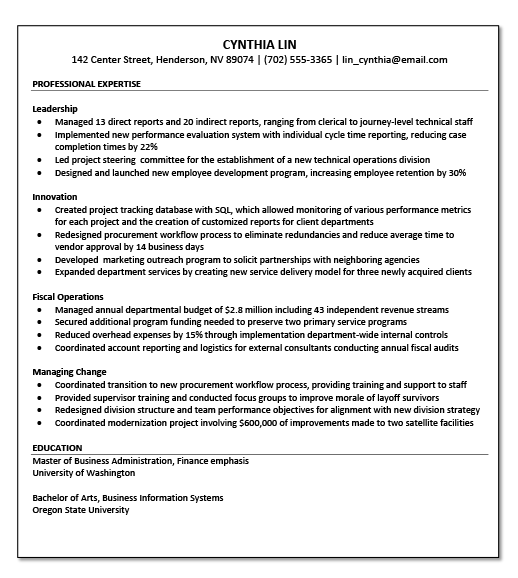
  • Easiest style to write and interpret
  • Clearly shows a career progression
  • Emphasizes the employers you have worked for
  • Is perceived to be more credible and fact-based
Example functional resume

Functional Resume

This style focuses on the types of work you have performed rather than where and how long you performed them. It groups your work experience into 3-8 major functional areas, describing responsibilities and achievements within each area.  Functional areas can be competencies (for example, leadership, change management, customer service, administrative support), functions or fields (for example, human resources, accounting, social services, budgets, contracts), industries (for example, local government, banking, non-profit, retail), or other groupings that make sense based on your experience.
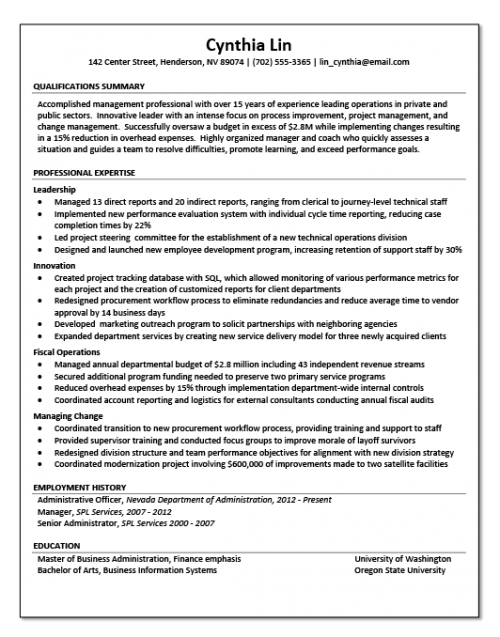
  • Emphasizes accomplishments across a varied or extensive career
  • Easy way to relate your work experience to the job requirements
  • De-emphasizes specific job titles and employers
  • Works well for people who have changed jobs frequently or may have gaps in their work history
Example Resume

Combination Resume

This style includes elements of both the chronological and functional resume styles. It outlines your responsibilities and achievements within major functional areas first, and then describes your work history in chronological order. This style works best for individuals who have consistent work histories (i.e., no employment gaps) and varied and/or extensive experience (i.e., at least 10 years).

To Do List

  • Most effective if you have standout accomplishments
  • Easily shows a career progression
  • Helps relate your work experience to job qualifications
  • While employment gaps may be apparent, can emphasize accomplishments over a long career

ITEMS TO CONSIDER FOR YOUR RESUME

Work Experience

Military Service

Community and Volunteer Activities

Certifications & Licenses

Qualifications Summary

Educational Details

Completed Training

Relevant Skills

Languages

Technical Summary

Name and Contact Information

Career Objective

Presentations and Publications

Professional Affiliations

Awards and Honors

... AND WHAT TO LEAVE OFF

Hobbies and Interests

While it can personalize your resume, this information isn't relevant to demonstrating that you are qualified for the job.

Personal Details

Information such as age, ethnicity, religion, etc. should not be included. Stick with what is relevant to the job you are applying for.

Photograph

Application materials for the County should not include a photo unless it is part of a license that is required for the position.

References

A list of 3-5 professional associates who can serve as references should be listed on a document SEPARATE from your resume.

PULLING IT ALL TOGETHER

Feature Important Info

Make sure your most relevant qualifications are prominently displayed and easy to find.

Leave Some White Space

Resist the urge to fill every empty space with information. White space can help your resume look professional and uncluttered.

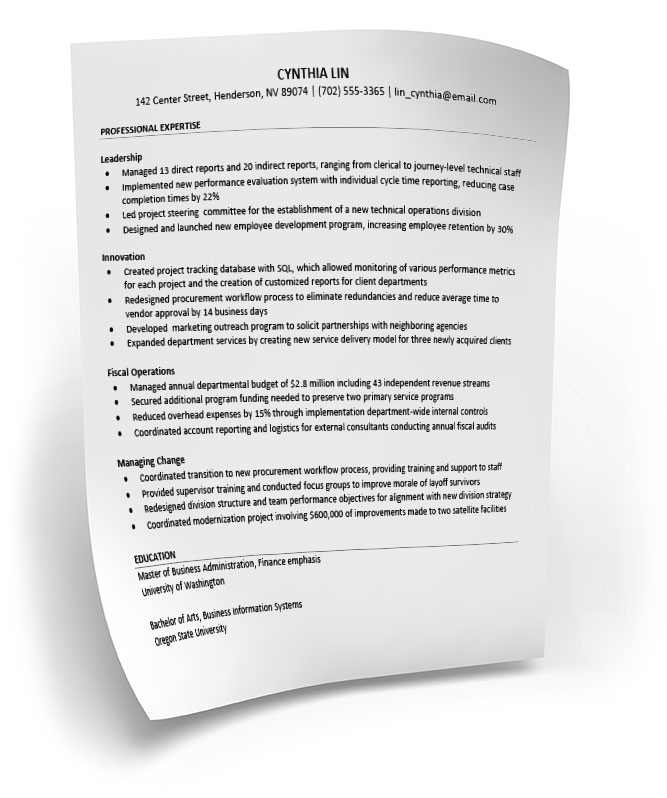
mock resume

Call Out Section Headings

Section headings should be visually distinguished from the other parts of your resume. Try bold type or horizontal lines.

Use Proper Line Spacing

Bulleted statements and paragraphs should be single-spaced. Include extra space between sections.

DO YOU NEED HELP?

211 LA County
LA County Helps
Public Alerts
County Seal

Enriching Lives . . .

ABOUT US

Contact Us
Our Director
Our Organization
Find An Office
Public Information Request
LA County Open Data Portal
Department Documents

SITE INFO

Language Services
ADA/Accessibility
Disclaimer
Privacy Policy
Language Services

HR NEWS FEED

HR News Feed
Tweets by LACountyDHR
2019 County of Los Angeles |
Department of Human Resources
  • FIND A JOB
    • QUICK JOB SEARCH
      • Jobs Open to Public
      • Jobs for LA County Employees
    • JOB SEARCH TOOLS
      • How To Apply
      • Job Search Toolkit
      • Career Planning
      • Resume Tips
      • Interview Tips
      • Career Pathfinder
  • WORKING IN THE COUNTY
    • WHO WE ARE
      • Faces of Los Angeles County
      • About the County
      • County Departments
    • WHY LA COUNTY
      • Employer of Choice
      • Diversity
      • Fair Chance Employer
  • COUNTY CAREERS
    • WHAT WE OFFER
      • Benefits
      • Career Development
      • IT Careers
      • Career Pathfinder
    • INTERNSHIPS
      • Internships Overview
      • Veterans Internships
      • Academic Internships
      • Management Fellows Program
      • Student Worker Program
      • Temporary Services Registry(TempLA) Program
      • Career Development Internships
      • Administrative Intern Program
      • Countywide Youth Bridges Program
  • ABOUT US
    • About Human Resources
    • Announcements
    • HR Events
    • Strategic Planning 2024-2028
    • Language Services
  • VIDEO LIBRARY
    • Director's Message
    • Employer of Choice
    • Interview Tips
    • How An App Becomes a Job
  • FAQs
  • ADA
USE A FILTER TO FIND INFORMATION TECHNOLOGY JOBS

The quickest way to find available jobs in Information Technology in the County is to create a FILTER in the online Job Search system.

To begin, click the button below to visit the Job Search system.

  1. Once you are in the Job Search system, you will see a FILTER button on the right side of the SEARCH bar in the middle of the page.
  2. Click on JOB CATEGORY. A fly-out menu will appear.
  3. Scroll down the list and click on IT and Computers and/or any of the other technology related job categories available.

NOTE:

  • You can select multiple options WITHIN a Filter category. You may also select multiple filters. For example you can select IT and Computers in Health Services and Fire with a salary of 60,000+.
  • To clear filters, click RESET ALL.
SEARCH FOR AVAILABLE IT POSITIONS
FOR EMPLOYEES
X